Neon Alley Costume Walk
Last updated Oct 17, 2026 · 6 min read
To produce an 11-second 9:16 reveal clip in the Neon Alley world, upload one front-facing photo, choose Male or Female, pick Neon Alley, select 480p or 720p, and pay from $7.90 on the hosted checkout page at ramalamabangbangai.com for this costume walk. The platform places your face in the costume walk trend video without requiring an account registration.
 Neon Alley Costume Walk
Neon Alley · 11 s
What you get
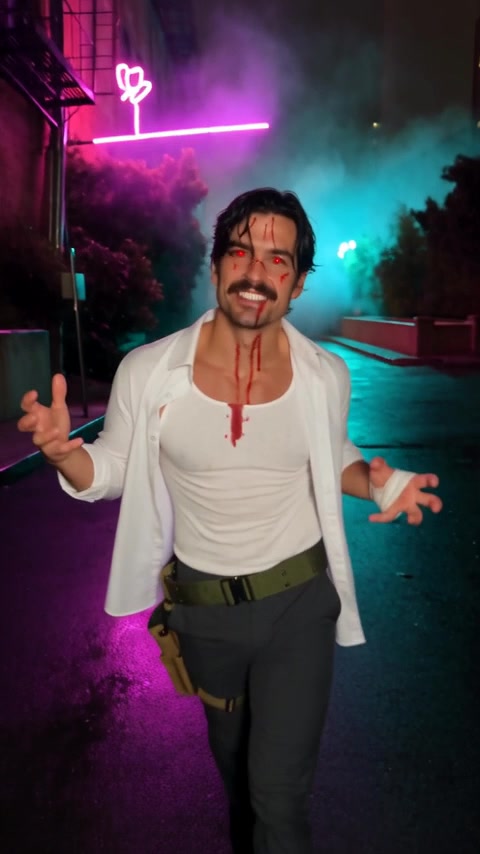
The Neon Alley sample features Male, titled "WHITE SHIRT SPLATTER". (Sample faces are AI-generated.) The finished video comes with the original soundtrack.
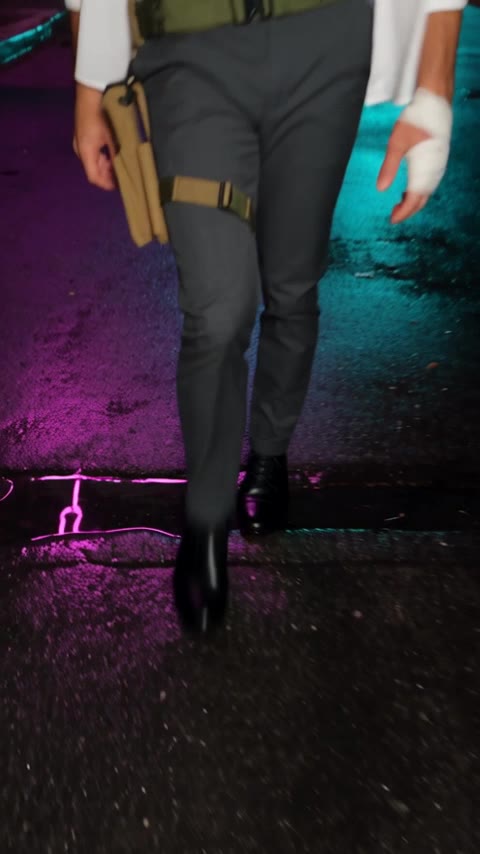
The output file is an 11.0-second vertical video formatted at a 9:16 aspect ratio. The video contains zero cuts, moving as one continuous handheld shot from the ground to a close-up framing.
The sequence follows an identical timeline across every world:
| Time | What happens on screen | What to check |
|---|---|---|
| 0–about 7 s | Low camera pointed down, you only see the walker's legs and shoes walking toward the camera while the camera backs away. | Footwear, charcoal trousers, gait, and puddle reflections. |
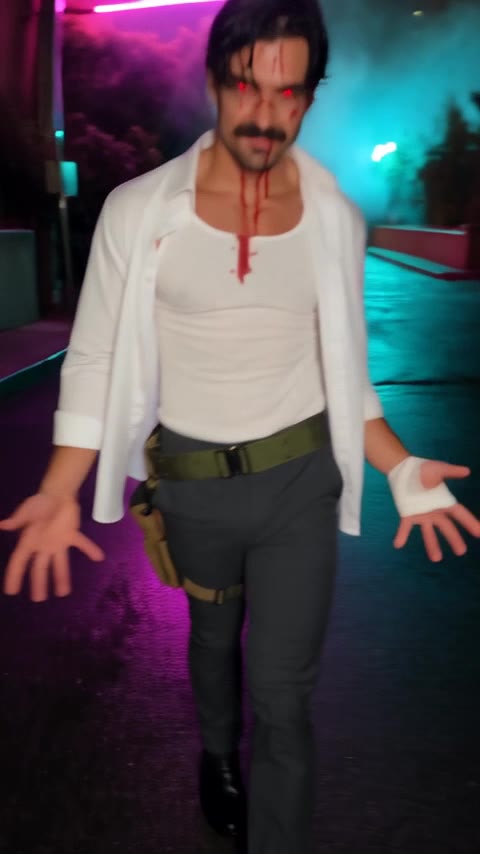
| about 6.9–7.4 s | A fast whip tilt up from the legs to the face, with motion blur. The face is first clearly visible at about 7.2 s. This is the reveal. | Reveal timing, neon light transition, and costume makeup placement. |
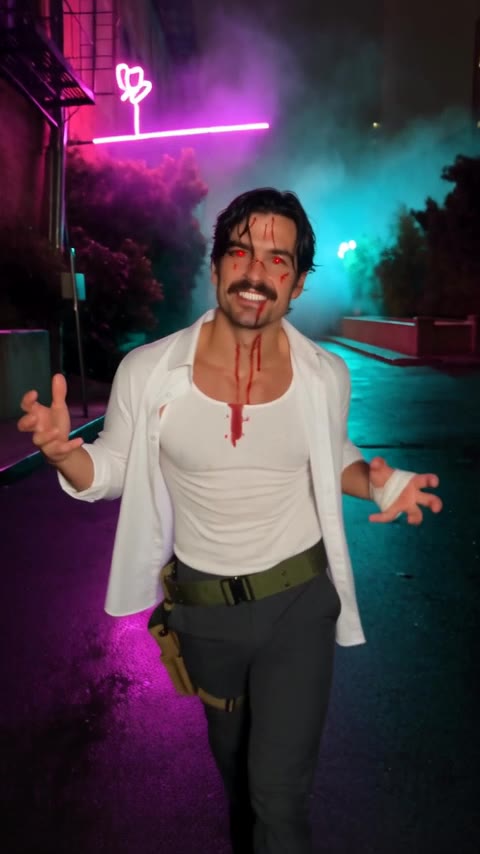
| 7.4–10 s | Arms open wide, then a "gotcha" pose and a pulled face at mid shot. | Likeness hold, tactical belt, and shirt splatter details. |
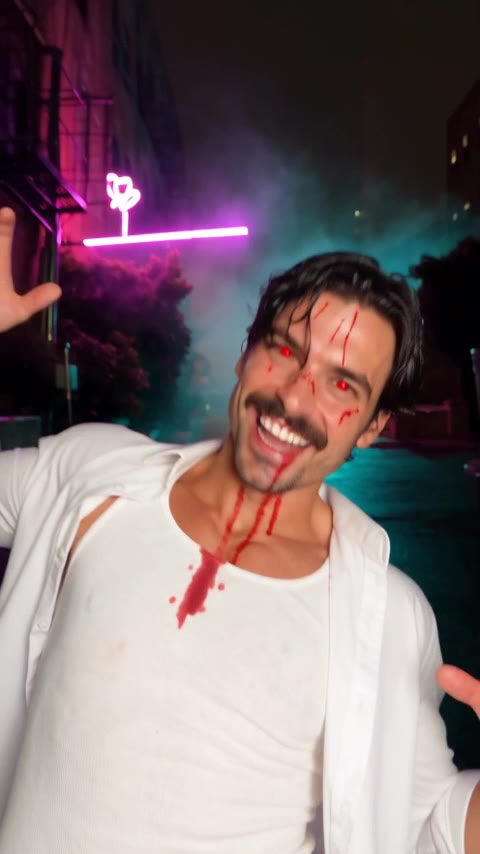
| 10–11 s | Close-up, head tilt, big toothy grin straight at the camera. Ends at 11 s. | Clean white teeth, eye contact, and fine facial feature detail. |
How to make it
- Upload a front-facing photo
- Choose Male or Female
- Select Neon Alley
- Choose video resolution
- Complete checkout
- Retrieve video from My videos
Which photo to use
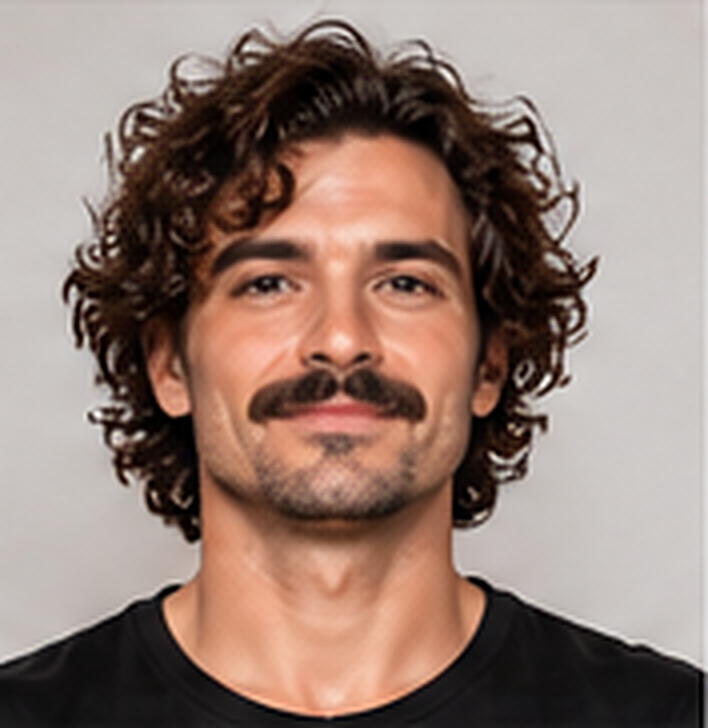
Selecting an appropriate input image gives clean likeness integration during the reveal at about 7.2 seconds.
What works:
- Exactly one person in the frame.
- Front-facing posture where both eyes and facial boundaries remain visible.
- Soft, balanced lighting across cheeks, nose, and forehead.
- Plain backgrounds, including neutral interior walls or studio backdrops.
What fails:
- Group photos or pictures containing secondary faces in the background.
- Angled head turns, extreme profiles, or tilted head positions.
- Obstructions such as sunglasses, eyeglasses, hats, hoods, or hands covering portions of the face.
- Hard shadows, backlighting, or low-resolution captures.
Non-obvious technical realities: Your photo controls the face only: features, face shape, age look, and skin tone. Existing facial hair, such as a mustache or beard, is kept.
Your personal hairstyle, hair color, outfit, and makeup are fixed by the world you pick.
The look and the scene
Neon Alley drops your likeness into an urban setting late at night following a rainstorm.
The setting: The action takes place along an empty city back alley with no passers-by. The ground consists of wet asphalt dotted with puddles reflecting pink-purple and cyan neon light. Mounted to the background architecture is an abstract neon sign composed of geometric arcs and arrows without readable letters. Surrounding details include weathered red brick walls, iron drainpipes, an industrial fire escape, and stacks of cardboard boxes. Light steam rises near the alley mouth alongside blurred neon bokeh in the background distance.
The outfit and makeup (Male): The character wears an open white long-sleeve shirt over a white tee, with sleeves rolled. The trousers are charcoal, secured by a standard black belt combined with an olive canvas tactical belt carrying a tan tool pouch. Footwear consists of black lace-up shoes. White gauze wraps around one palm.
The head features black, slightly wet, messy hair styled with a side part. Red costume contact lenses cover the eyes. Streaks of bright red Halloween-makeup fake blood splatter across the face and shirt.
The alternative look: Female is also available for Neon Alley (different outfit, same alley).
Settings and cost
The costume walk on ramalamabangbangai.com uses a credit-based structure. Videos can be purchased individually at checkout or produced using bundled credit packs. Every world on the platform shares identical pricing.
| Resolution | Dimensions | Credits per second | Credits per video | Single video price |
|---|---|---|---|---|
| 480p | 480x854 px | 3 credits | 33 credits | $7.90 |
| 720p | Vertical 9:16 | 7 credits | 77 credits | $15.90 |
Credit pack options:
- $9.90 pack: provides credits for about 1 video at 480p.
- $29.90 pack: provides credits for about 6 videos at 480p.
- $59.90 pack: provides credits for about 13 videos at 480p.
Account and billing terms:
Your video is saved for 30 days.
The platform terms state: "Refunds within 14 days, for unused credit packs only."
Tips for a better result
- Match the camera angle: Use a front-facing portrait with one person facing the camera.
- Prioritize balanced lighting: Use a photo with soft, even lighting where your face is clearly visible.
- Keep the face unobstructed: Hats, sunglasses, and hands over the face hide features, so avoid them.
To make your clip, open the Neon Alley costume walk generator or visit the costume walk home page at ramalamabangbangai.com. You can also view step-by-step guides for other environments, including the Haunted Manor costume walk tutorial and the Night Parking Lot costume walk tutorial.
FAQ
Do I need an account to create a video?
No account is needed. Enter your email at checkout. To open videos on another visit, enter that email, then open the one-time link in the email. If this email has a purchase, we sent a link.
What parts of my photo appear in the video?
Your photo controls the face only: features, face shape, age look, skin tone, and facial hair. Hair, hair color, outfit, and makeup are fixed by the world you pick.
How long are finished videos saved?
Your video is saved for 30 days. Download it to keep it. To open the list later, enter the checkout email, then open the one-time link in the email.
Can multiple people be in the upload photo?
No. Uploads must contain one person only, facing the camera with the face clearly visible.
What is the refund policy?
Refunds within 14 days, for unused credit packs only.
Is the costume walk on ramalamabangbangai.com affiliated with any artist or label?
The costume walk on ramalamabangbangai.com is not affiliated with any artist or label.